The problem
Sound familiar?
Working on multiple projects, constantly switching between terminal windows and tabs, IDE windows, and browser tabs
No way to see what's running across all your machines at a glance
Claude sessions running in the background with no visibility into progress
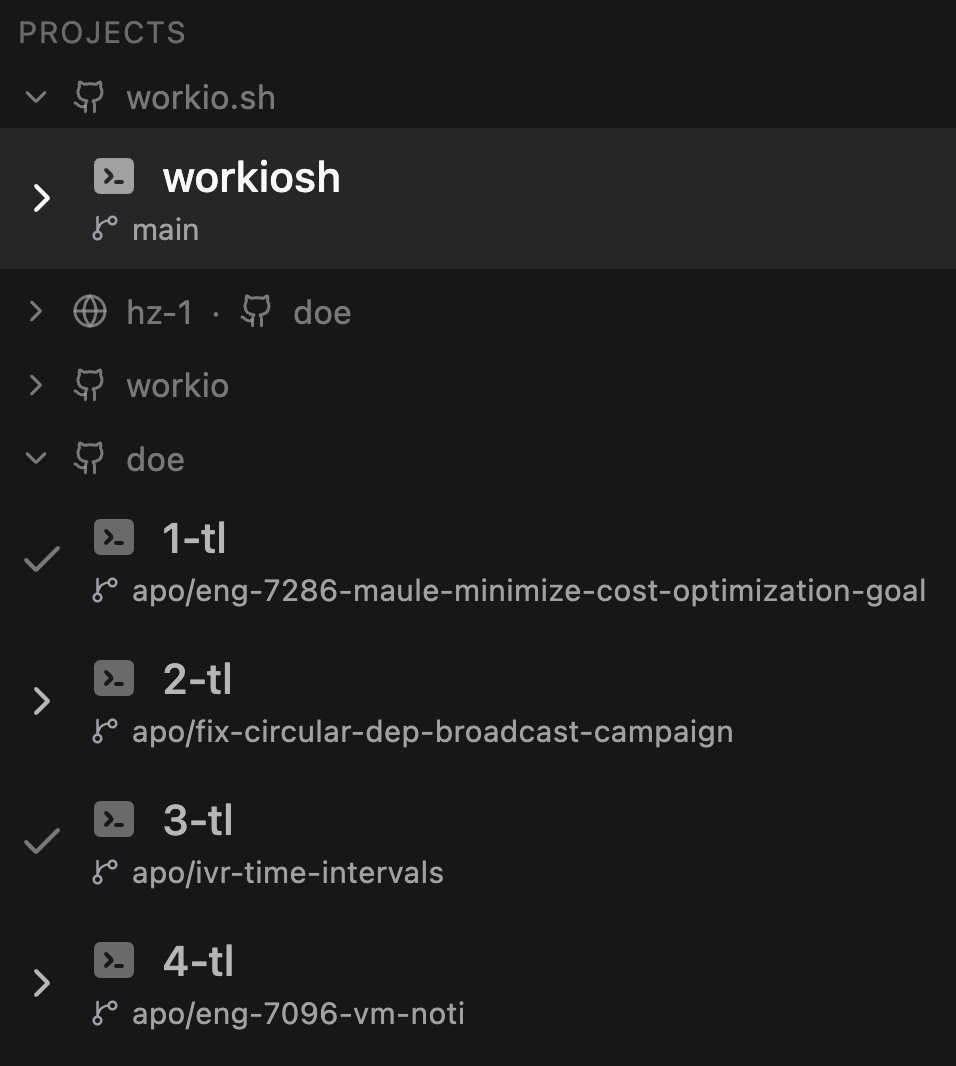
Connecting the dots between PRs, branches, and Claude sessions when revisiting past work
Finding that one Claude conversation where you asked about something three days ago
Walking away after starting a Claude task, only to come back and find it's been waiting for permission the whole time
Being unable to tweak the tools that make up your workflow
Every context switch breaks your flow state and costs real time
Terminals
Terminals that know your projects
Spawn local or SSH shells, split panes, create templates — all inside the browser. Each shell runs in its own worker process so heavy output never blocks the UI.
- Local & SSH terminals with persistent connections
- Split panes with drag-and-drop layout management
- Or a single shell with Zellij custom integration
- Shell templates with keyboard shortcuts
- Real-time process & port monitoring (CPU, memory)
- Reverse SSH port forwarding
- Per-shell worker processes — no event-loop starvation
- Additional project workspaces via git worktrees
AI Integration
Watch Claude work — in real time
Monitor every running Claude Code session — local or via SSH. See permission requests the moment they fire, search across session history, and manage everything from one place.
- Live session monitoring across local + remote machines
- SSH reverse tunnels forward remote Claude sessions
- Instant permission detection with push notifications
- Full-text search across all session messages
- Resume sessions, move between projects, pin to Picture-in-Picture
- Custom Claude skill for in-workflow notifications
GitHub PRs
PRs without the tab explosion
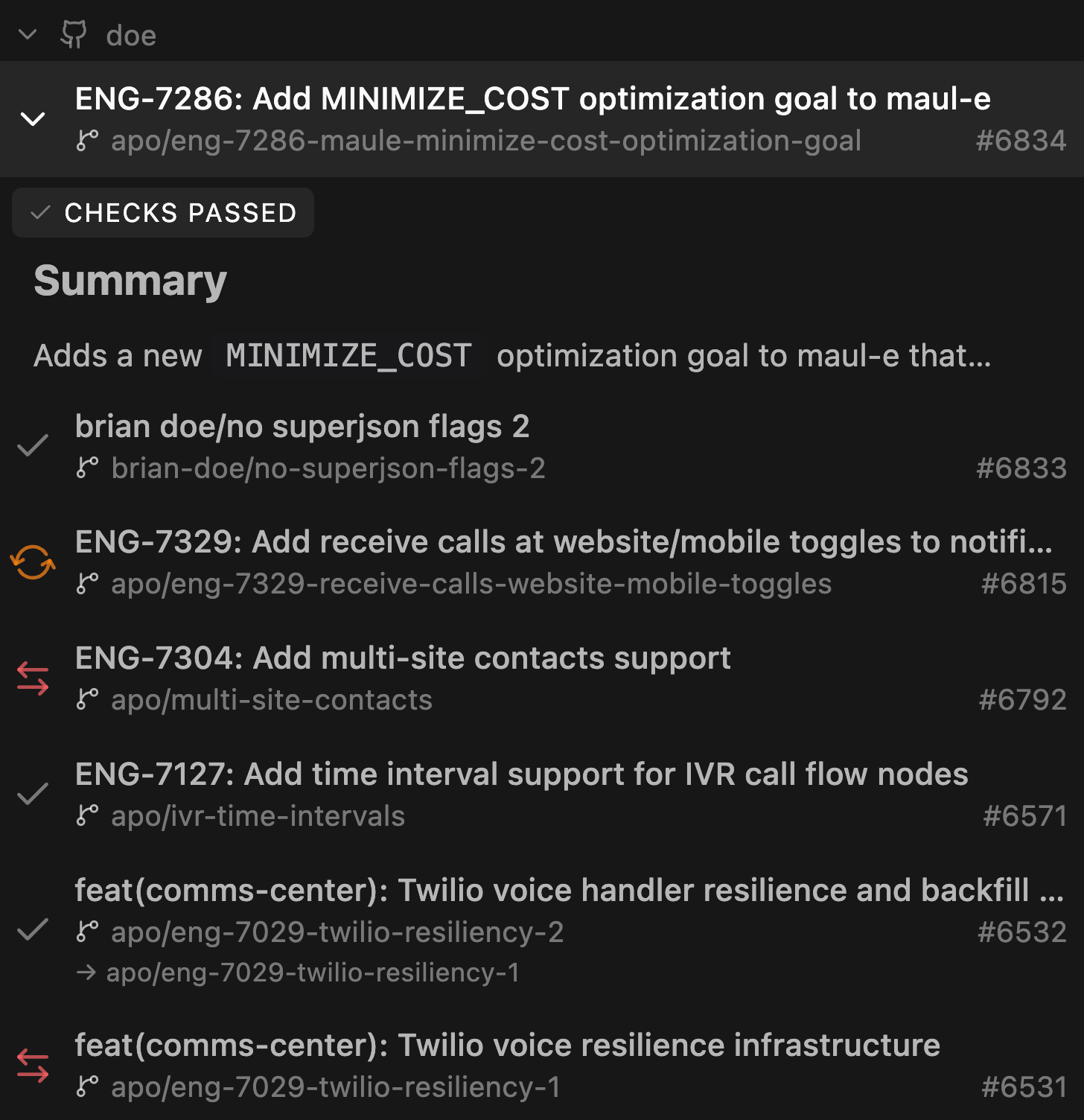
Browse, review, and act on pull requests from inside your workspace. Real-time updates via webhooks, CI check monitoring, and a Monaco-powered diff viewer.
- Browse PRs across all repos with smart filtering
- Create, edit, merge, close PRs directly
- CI check status with one-click re-run
- Real-time webhook updates with polling fallback
- Monaco-based diff viewer with commit history
- Checkout PR branches from the command palette
Git
Git, visualized and keyboard-driven
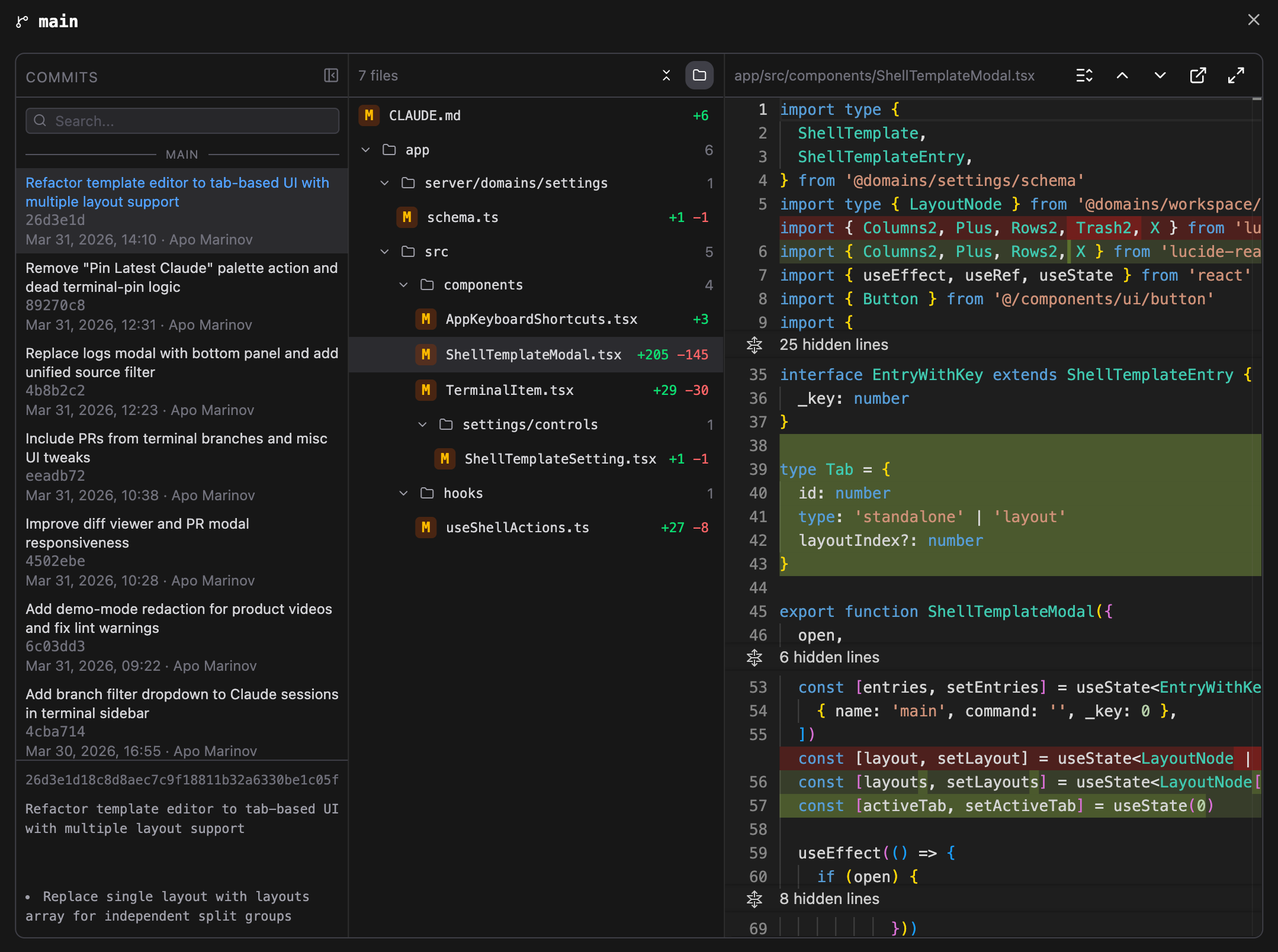
Full Git workflow inside the dashboard: edit files, stage, view diffs, commit with shortcuts, manage branches, push and pull — with real-time dirty-status tracking.
- Edit your uncommitted changes
- Staged/unstaged file management with unified diffs
- Branch operations: create, checkout, rebase, merge
- Real-time ahead/behind tracking with push/pull/sync
- Branch diff viewer with merge-base markers
Command Palette
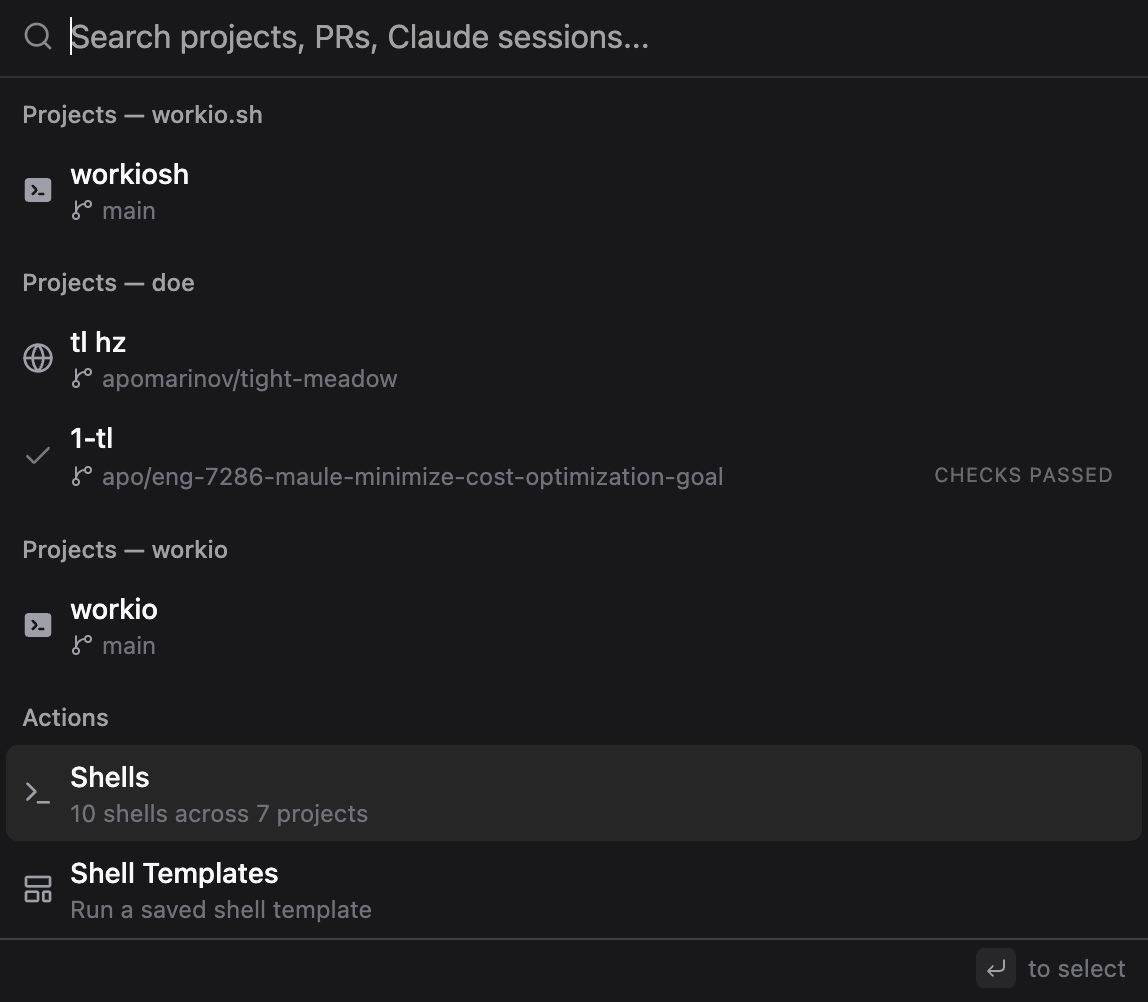
Cmd+K everything
A universal command palette that spans every workflow. Jump to sessions, terminals, branches. Run Git operations, PR actions, workspace commands.
- Multi-modal: search sessions, terminals, branches
- Git operations, PR actions, workspace management
- Custom user-defined commands with keybindings
- PR Resume - jump back into a PR with all shells and Claude sessions
- Session search with repo/branch filtering
Notifications
One notification system for everything
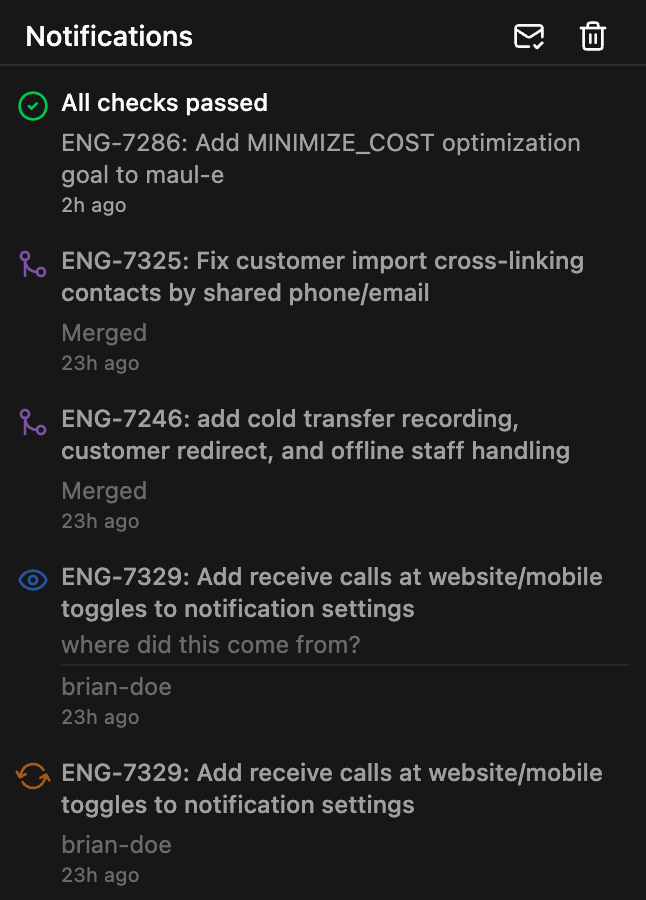
Claude permission requests, PR reviews, CI failures — all surface through a single notification registry with push support, grouping, and custom sounds.
- Claude events: permissions, task completion
- PR activity: reviews, comments, check status
- Smart grouping: multiple failures into one alert
- Web Push with deduplication and custom sounds
- Mobile push via PWA (iOS + Android)
- Custom notification API from Claude workflows
Mobile
Your workspace, in your pocket
WorkIO isn't just responsive — it's a proper PWA designed for phones and tablets. Touch-friendly terminal, push notifications, and a mirror mode that turns your phone into a remote display.
- Mirrors WorkIO running on your desktop
- Installable PWA on iOS and Android
- Touch-optimized terminal with action buttons
- Edge swipe gestures to open/close sidebar
- Push notifications with bell subscription
Mobile
Your workspace, in your pocket
WorkIO isn't just responsive — it's a proper PWA designed for phones. Touch-friendly terminal, push notifications, and a mirror mode that turns your phone into a remote display.
- Mirrors WorkIO running on your desktop
- Installable PWA on iOS and Android
- Touch-optimized terminal with action buttons
- Edge swipe gestures to open/close sidebar
- Push notifications with bell subscription
Connected by design
Workflows that actually talk to each other
Most dev tools are islands. WorkIO connects them. A Claude session knows which terminal it's running in. A PR checkout lands you in the right shell. Every feature is aware of every other feature.
Clone to notification
PR to merge
Remote to local
Failure to fix
Before & after
Stop switching. Start shipping.
| Without WorkIO | With WorkIO |
|---|---|
| 4 terminal windows | One tabbed workspace |
| GitHub open in 3 tabs | PR dashboard inline |
| Claude running in the background | Live session monitor with search |
| SSH'd into a server, no visibility | Remote sessions tunneled to your dashboard |
| "Did CI pass?" — switch to browser | Notification slides in, re-run in one click |
| Phone is useless for dev work | Full mobile PWA with push notifications |
Under the hood
Built for developers, by a developer
| Layer | Technology |
|---|---|
| Frontend | React 19 + React Compiler, TypeScript, Vite PWA |
| UI | Tailwind CSS, shadcn/ui, Lucide icons |
| Real-time | Socket.IO, per-shell WebSocket streams |
| Data | tRPC + React Query |
| Terminal | xterm.js with WebGL rendering |
| Diffs | Monaco Editor |
| Backend | Node.js, Fastify, tRPC |
| Database | PostgreSQL (direct SQL, no ORM) |
| PTY | node-pty (forked worker per shell) |
| SSH | ssh2 with connection pooling + reverse tunnels |
| GitHub | gh CLI + GraphQL API |
| AI Daemons | Python (monitor, worker, forwarder) |
| Tunneling | ngrok for remote access + webhooks |
Philosophy
Design principles
Self-hosted
Your data stays on your machine. No cloud dependency, no accounts, no telemetry.
AI-native
Built from the ground up to work with Claude Code, not bolted on.
Non-blocking by design
Every shell is its own process. Every operation is async. Heavy output doesn't freeze anything.